Copy music to and from your iPod

Sharepod is an excellent alternative music manager for those of us who don’t like to use iTunes to handle the content of our iPods.

Top Recommended Alternative

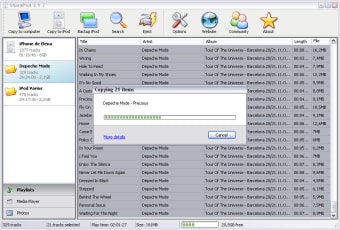
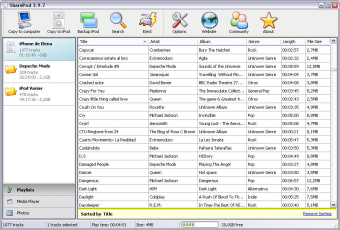
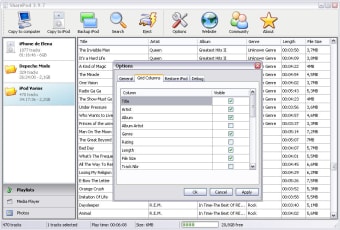
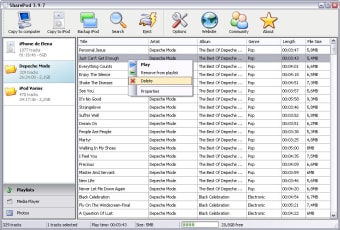
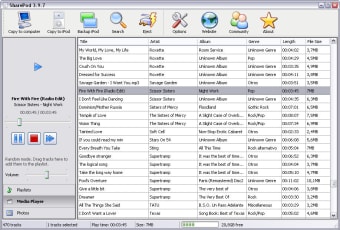
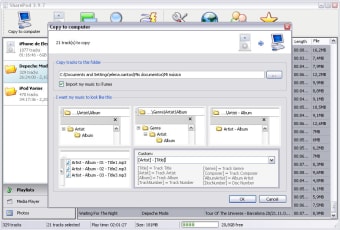
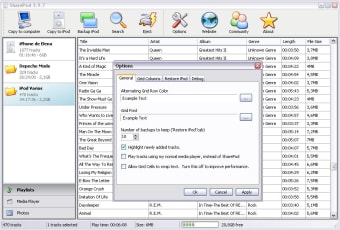
With Sharepod you can easily copy music from the computer to your iPod and viceversa. The program works like a charm: simply plug the iPod in, launch Sharepod and you’re good to go. It doesn’t even require installation! Besides adding or removing music, you can also copy videos from your iPod to the PC, back up photos, and edit tags. Sharepod also imports and exports album art, ratings and playlists.

The interface in Sharepod features a simple, clean design that makes the program a pleasure to use. It supports drag-and-drop, includes a search tool and also has a built-in player to listen to the music on your iPod.

On the downside, and though the developer claims Sharepod works with iPhone and iPod Touch, we couldn’t use all of the program’s features when testing with an iPhone 4.

Sharepod is a great iPod manager that lets you transfer content between Apple’s star device and your computer.

Changes

Fixed: iTunes 10.1 & 2 support

 0/7

App specs

Also available in other platforms

Program available in other languages


Icon of program: Sharepod

Sharepod for PC

  • Free
  • 3.5
    658
  • 174.4K
  • V4.2.0

User reviews about Sharepod

3.5

3 reviews

Add review

Main reviews for you

  • Anonymous user

    NOT FREE, DON'T WASTE YOUR TIME!!!. NOT FREE!! Transfers a few songs, then stops for 30 seconds pressuring you to buy it - though the price isn't mentioned. This goes on - a few song transfer, then stop and spam until, I believe, 26 songs are transferred...and then you MUST buy Sharepod if you want to transfer anything else. Total B.S. Pros: Nothing Cons: Be truthful, upfront: it isn't free, the demo or trial version will stop constantly to get you to buy product, and state what it costs. UP FRONT!!

  • Anonymous user

    Brilliant piece of software. I recently had to reformat my laptop and lost all my playlists on itunes. I found sharepod online and what a brilliant tool. I now have all my music back on my pc and this time I'll back it up on a pen. This software does what it says it does and is really ewasy to use. I downloaded it, plugged in my ipod nano and there were my playlists. I selected them all and pressed copy to pc and of course, there they were, all ready to play in my music folder. Thanks so much sharepod guys. Brilliant!! Pros: Really easy to use and very quick transfers Cons: None that I can find yet

  • Anonymous user

    I DID NOT ENJOY MY IPOD TOUCH UNTIL I FOUND SHAREPOD. It does everything it says it can do.have not had any promblems.turned something confusing into somthing simple and fun.cant thank you enough Pros: Its great Cons: none

More

You may also like

Alternatives to Sharepod

Explore Apps

Latest articles

Laws concerning the use of this software vary from country to country. We do not encourage or condone the use of this program if it is in violation of these laws.
Softonic

Is Sharepod safe?

100/100

Score result: Clean

This file passed a comprehensive security scan using VirusTotal technology. It is safe to download.

  • Virus free
  • Spyware free
  • Malware free
  • Verified by Security Partners

    VirusTotal logo

Scan Info

Last scan
Tuesday, November 7, 2023
Scan provider
VirusTotal · Full report

File Integrity

File
Sharepod-4.2.0.exe
SHA256
1e0c13a26d4fde49d0b0b515dd70c30c1bff0241945b3e89fa3b2d311f386044
SHA1
02a6ba20b73fda208050180abefa61bee87f2638

Softonic security commitment

Sharepod has been thoroughly scanned by our advanced security systems and verified by industry-leading partners. This file comes from the official developer and has passed all our security checks, showing no signs of viruses, malware, or spyware. For more information, visit our Security and Trust Center